App Guides
Are Kids' Learning Apps Safe?
Five practical checks for ads, purchases, and privacy, plus what COPPA means for your child's data.
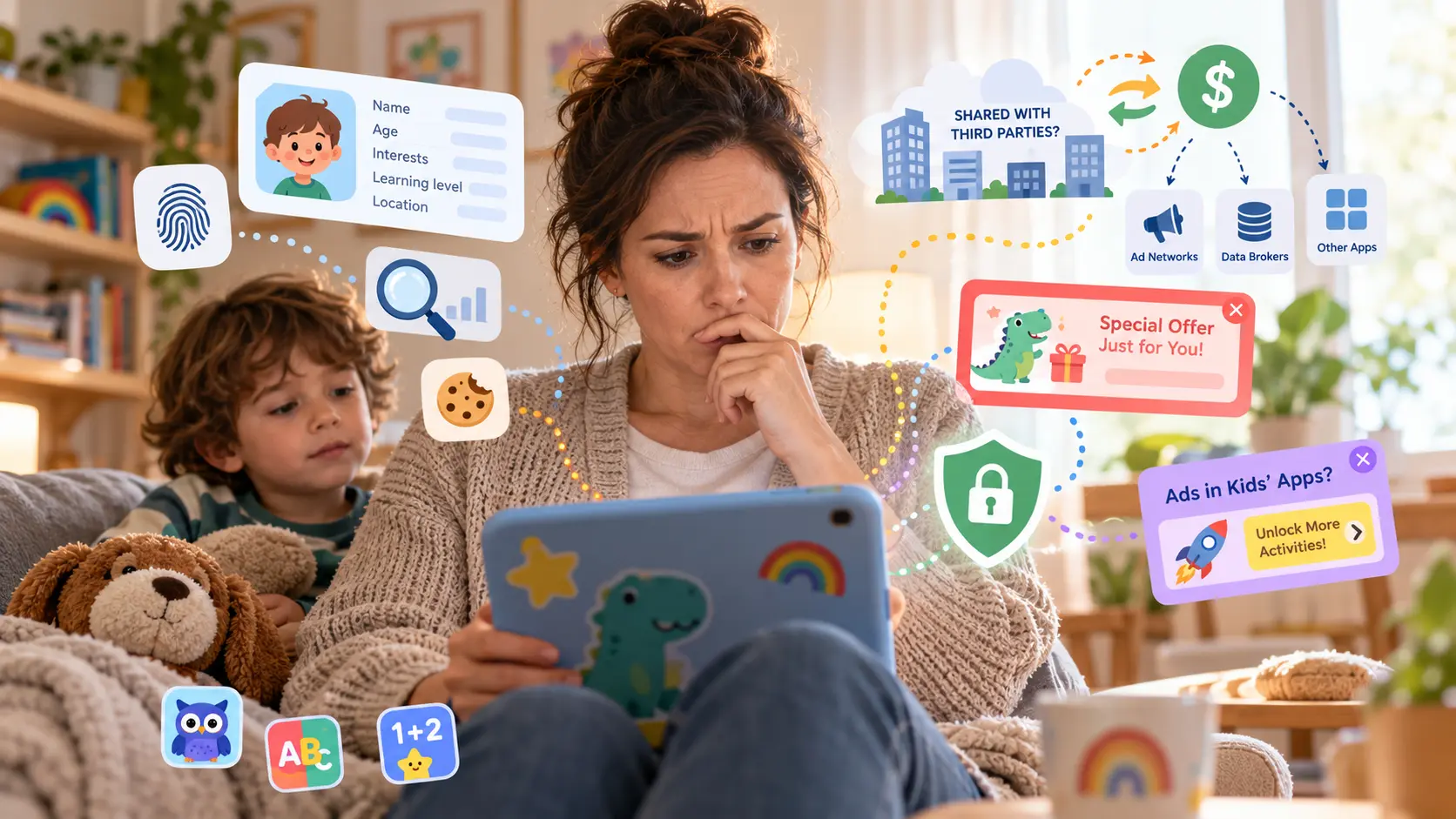
Some kids’ learning apps are safe and some are not, and looking at the star ratings will not give you any clues. A safe learning app keeps ads, purchases, web links, and contact with strangers out of your child’s play, and keeps their personal information away from companies that would use it to advertise. In a 2020 study in JAMA Pediatrics, two-thirds of the apps that 124 preschoolers actually played sent information identifying their device to other companies.
You can make a first check in about 5 minutes: the store listing’s age band, ad and purchase labels, privacy label, and privacy policy, then the app itself before your child plays. In the US, a law called COPPA requires a parent’s consent before an app collects personal information from a child under 13.
What makes a kids’ app safe?
A safe kids’ app controls two things: what reaches your child and what leaves the device.
- What reaches your child: ads, things to buy, links out to the web, messages from people your child does not know, and pressure to keep playing or to buy.
- What leaves the device: a record of how your child plays, a code that identifies the device, and sometimes their location, photos, or voice recordings, sent to the developer or to other companies.
In one study, 4 in 5 of the apps young children used most were designed to keep them playing or buying. Jenny Radesky and colleagues coded the apps that 160 children aged 3–5 played longest, for a 2022 study in JAMA Network Open, and found that “only 20% of apps had no manipulative design features.” Those features include countdown timers, characters who press a child to keep going or to buy, and lures such as “Come back tomorrow to get THIS dragon!” Our own app, Wonster Words, uses no countdown timers, no come-back-tomorrow rewards or streaks, no rewards a child loses by stopping, and no characters that nag a child to keep playing.
An app can be kid-friendly without being kid-safe. Friendly characters and a 4+ age rating describe what your child sees on screen, not what the app sends to advertisers. Parental controls cover part of the first list: they block purchases, new installs, and the web browser on your child’s tablet. No device setting covers the second list. Only the app’s privacy label and privacy policy describe it.
Our guide to choosing a reading app explains what app store ratings and reviews can tell you, and our guide to the best tablet for kids sets out the parental controls on an iPad, an Android tablet, and an Amazon Fire tablet.
How to choose safe apps for kids: five checks before you download
Start on the app’s store listing, then try the app yourself. You can use these five checks on either the App Store or Google Play.
Check who the app is made for
On the App Store, look under Age Rating for a Made for Ages band, such as Made for Ages 0–5. That means the app is in Apple's Kids Category. Its rules limit third-party ads and analytics and require a parental gate, a small test meant for an adult, before a purchase or link out of the app. On Google Play, look for the Teacher Approved badge or Committed to follow the Play Families Policy in the Data safety section. Use the remaining checks even when an app has a children's age band or badge.
Check for ads and purchases
On Google Play, look for Contains ads and In-app purchases under the app's name. On the App Store, In-App Purchases appears beside the price. If you see a purchase label, check what is for sale. The app may sell a subscription to you without offering anything for your child to buy during play.
Read the privacy label
Open App Privacy on the App Store to see what the app collects and whether it uses any of that data to track your child. On Google Play, open Data safety to see what is collected and whether any of it is shared with other companies. Stop if you see tracking, data shared with third parties, or Third-Party Advertising listed as a purpose.
Read the privacy policy
Follow the privacy policy link on either store listing. Look for what the app collects, whether it shows ads or shares or sells data, and how to ask for your child's data to be deleted. COPPA, the US children's privacy law, gives parents of children under 13 the right to have that data deleted.
Open the app before your child does
Start by checking what the app asks for. If it requests your child's name, email, or birthday, or access to location, the camera, or the microphone, look for a parent step before it collects anything personal. Then tap the corners, the logo, and any shop or more-apps button. A parental gate, such as a math question, should come before any purchase or link out of the app. Watch for countdown timers, rewards for coming back tomorrow, and characters who push your child to keep playing or to buy. Check for chat, sharing, or a way to reach the web.
For apps without ads, our comparison of ad-free reading apps shows which reading apps carry none, along with what children encounter in free apps, YouTube, and free game websites.
Privacy labels take a little more reading. On the App Store, App Privacy groups data under up to four headings: Data Used to Track You, Data Linked to You, Data Not Linked to You, and Data Not Collected. When Apple says tracking, it means combining data from the app with other companies’ data “for targeted advertising or advertising measurement purposes,” or sharing it with a data broker, a company that trades in data.
The developer writes the privacy label on both stores. Apple says, “This information has not been verified by Apple,” and Google says its security review “does not verify the accuracy and completeness” of the Data safety section. Read the label alongside the privacy policy when you check an app.
| Line | Where to find it | What to do |
|---|---|---|
| Data Used to Track You | App Store, App Privacy | Stop if anything is listed under it |
| Data shared | Google Play, Data safety | Stop if anything is shared with a third party |
| Third-Party Advertising | App Store, as the purpose of a data type | Stop if it is listed |
| Contains ads | Google Play, under the app’s name | Stop if it is shown |
| Advertising or marketing | Google Play, as the purpose of a data type | Read it beside Contains ads |
- Google does not count a company that processes data for the developer as sharing.
- In Google’s definition, Advertising or marketing also covers “measuring ad performance.” On its own, that label does not tell you whether an app shows ads.
- Analytics, App Functionality, and Personalization mean the data is used to run the app and make it better. On the App Store, Developer’s Advertising or Marketing covers the developer’s own ads and marketing messages, and can include sharing data with the companies that show its ads.
What data do kids’ apps collect, and what is it used for?
Learning apps record information as your child plays: which activities they finish, how they use the app, and whether it crashes. They also collect a code that recognizes the device, called an identifier, and often your email address when you set up an account. Some apps collect your child’s location, photos, or voice recordings too.
Even a device code can count as personal information. Under COPPA, “a persistent identifier that can be used to recognize a user over time and across different websites or online services” is personal information, just as a name or photo is, according to the Federal Trade Commission.
An app might use data to save your child’s progress or fix a crash. It might also send information to advertisers. When you read the privacy label, look at what the data is used for as well as what is collected. Kids’ apps put data to six uses:
- To run the app: signing in, saving a child’s progress, and fixing crashes.
- To improve it: seeing which activities children finish and where they get stuck.
- To personalize it: choosing what a child sees next.
- To market the app itself: emails to the parent, and measuring the developer’s own ads.
- To show ads inside the app: chosen by what is on screen or by a profile of the user.
- To pass to advertisers or data brokers: sold or shared so another company can build a profile of a child across apps.
Under the COPPA Rule, an app can use a child’s device identifier without a parent’s consent to “maintain or analyze the functioning” of the app, to “personalize the content,” and to serve ads chosen by what is on screen. The exception does not cover “behavioral advertising,” which uses a person’s activity to choose ads, or using the data to “amass a profile on a specific individual.” Following the amendments the FTC finalized in January 2025, the rule also “requires parents to opt in to third-party advertising.”
The privacy concern comes from what apps actually send. In the 2020 JAMA Pediatrics study, Fangwei Zhao, Jenny Radesky, and colleagues studied 451 apps played by 124 preschoolers on Android devices. They found that “303 (67%) transmitted persistent identifiers to 1 to 33 third-party domains.”
Some apps send data through pieces of code supplied by other companies, known as third-party SDKs. In a 2018 paper for the Privacy Enhancing Technologies Symposium, Irwin Reyes, Serge Egelman, and colleagues tested 5,855 popular free children’s Android apps. They found that “a majority are potentially in violation of COPPA, mainly due to their use of third-party SDKs.”
A paid app is not automatically a private one. Free apps are often paid for through advertising, but paid apps can show ads too. In a 2019 study of 135 apps for children aged 5 and under, Meyer and colleagues found advertising “significantly more prevalent in free apps (100% vs 88% of paid apps).” Check the privacy label whatever the price. Our guide to who pays for free kids’ apps explains how advertisers, donors, and parents fund different apps.
We make Wonster Words. Wonster Words does not sell data to advertisers, and the app shows no ads. What it collects is used to run the app and make it better.
Once an app clears these safety and privacy checks, look at whether its lessons suit your child. Our comparison of phonics apps and our guide to reading apps by age compare the main options.
What is COPPA, and how can you tell if an app follows it?
What COPPA requires
COPPA, the Children’s Online Privacy Protection Act, is a US federal law that protects the personal information of children under 13. Congress passed it in 1998, and the Federal Trade Commission enforces it. It covers apps and websites made for children, as well as those that know they are collecting information from a child under 13.
According to the FTC’s COPPA guidance, an app covered by the law must get a parent’s verifiable consent before collecting personal information from a child. You also have the right to review that information and have it deleted. Personal information includes your child’s name and contact details, photos, video, voice recordings, location, and identifiers that recognize their device over time.
The FTC tightened the rule in January 2025, with full compliance required by April 22, 2026. The changes require a parent’s separate consent before a child’s data is shared with other companies for advertising. They also limit how long an app may keep a child’s data.
How to tell if an app follows COPPA
There is no official list of COPPA-compliant apps, and from the outside you cannot verify everything an app does. Look for these signs when you check the listing and set up the app:
- A privacy policy that says what the app collects and whether it shares it.
- A parent setup process: you set up the app, and it asks for your consent before collecting personal information from your child, such as a voice recording or photo.
- Deletion instructions: the policy tells you how to have your child’s data deleted.
- A children’s store category: Apple’s Kids Category or Google Play’s Families program. Apple’s App Store Review Guidelines tell Kids Category developers, “You must comply with applicable privacy laws around the world relating to the collection of data from children online.”
A parental gate is not parental consent. Apple’s guidelines say “the parental gate requirement for the Kid’s Category is generally not the same as securing parental consent to collect personal data under these privacy statutes.” A gate stops a child from buying something or leaving the app. Consent is what COPPA requires before an app collects a child’s personal information.
A COPPA Safe Harbor seal tells you an app’s privacy practices have been reviewed, but the law does not require one. The FTC’s COPPA guidance describes working with a Safe Harbor program as something a developer “might also choose.” The FTC’s Safe Harbor list includes six approved programs: the Children’s Advertising Review Unit (CARU), the Entertainment Software Rating Board (ESRB), iKeepSafe, kidSAFE, PRIVO, and TRUSTe. An app without a seal can still follow the law, so read its privacy label and policy too.
What should you do if an app seems unsafe?
If an app shows your child inappropriate content or asks for personal information without a parent step, take these steps:
- Delete the app from the device.
- Ask the developer to delete your child’s data. COPPA gives you that right if your child is under 13. Follow the instructions in the privacy policy.
- Report it to the store. For an App Store app, sign in at reportaproblem.apple.com and choose an option under “I’d like to.” On Google Play, open the app’s page, tap the More menu, and choose “Flag as inappropriate.”
- Report a children’s privacy problem to the FTC at ReportFraud.ftc.gov, which is where the FTC’s advice to parents directs you to report a COPPA concern.
The FTC can take action against companies that break COPPA. In 2019, Google and YouTube agreed to pay a record $170 million to settle the FTC’s allegations that YouTube collected children’s personal information without their parents’ consent, according to the FTC’s announcement. A court can order civil penalties for each violation, up to a maximum the FTC adjusts for inflation each year.
Frequently asked questions
What age range does COPPA specifically protect in children's apps?
COPPA protects children under 13 in the United States. It covers apps and websites made for that age group, as well as general-audience apps that know they are collecting personal information from a child under 13. COPPA does not cover children aged 13 or older.
Are all kids' apps required to follow COPPA rules?
Every app made for children under 13 in the United States must follow COPPA when it collects their personal information. An app for a general audience must follow COPPA only when it knows it is collecting personal information from a child under 13.
How does COPPA differ from GDPR in protecting children's data?
COPPA is a US law covering children under 13. The European Union's General Data Protection Regulation sets the age at which a child can consent to an online service at 16. Each member state can lower that age to as young as 13. Under either law, a parent must give consent below the age it sets.
Are free educational apps less secure than paid ones?
Paying for an app is no guarantee of privacy. Free apps are more likely to show ads, because advertising is how most of them are paid for. But a 2019 study of 135 apps for children aged 5 and under found ads in every free app and in 88% of paid ones. Check the privacy label on a paid app too.
How do educational apps collect user data?
Learning apps record information as your child plays, such as which activities they finish, how long they use the app, and whether it crashes. They also collect an identifier, a code that recognizes the device, and your account usually adds an email address. Some apps send data to other companies through code built into the app. Check whether the data helps run and improve the app or is used for advertising.
Do learning apps for kids track screen time and how?
Many learning apps record how long and how often your child plays. The privacy label calls this usage data, and some apps show you the time in a parent report. The time an app records says nothing about how much screen time suits your child.
What certifications should educational apps have for child safety?
No certification is required by law. The FTC has approved six COPPA Safe Harbor programs: CARU, ESRB, iKeepSafe, kidSAFE, PRIVO, and TRUSTe. Their seals show that an app's privacy practices were reviewed. Google Play's Teacher Approved badge shows experts reviewed an app's quality and age fit. An app without either can still follow the law, so read its privacy label and policy too.
Which companies are known for making COPPA-compliant kids' apps?
There is no official list, because the FTC does not certify apps. Look for a clear privacy policy, a parent setup process before your child plays, and instructions for requesting deletion of your child's data. We make Wonster Words, and Wonster Words is COPPA compliant.
Related guides
Last updated