App Guides
Best Phonics Apps for Kids (2026)
An honest comparison from a phonics app developer, including where our own app falls short.
The best phonics app depends on what your child needs right now. If your child knows their letter sounds but can’t push them together into words yet, Wonster Words gives the deepest practice on that specific skill, and a child can do it independently. If you want to be the one teaching and have 20 minutes a day to sit down together, Reading.com is the strongest parent-led program. If you want one subscription covering reading, math and science, ABCmouse is the best value at $45 a year. If you want something genuinely good for free, start with Khan Academy Kids.
Below, all five are compared on teaching method, age range, price, and whether they follow the science of reading. These are the criteria that actually separate a phonics program from an expensive alphabet game.
What separates a good phonics app from a bad one
Most apps marketed as “phonics apps” teach letter recognition and stop there. The gap between recognizing letters and reading words is where most children get stuck, and it’s the single most useful thing to check before you pay for anything.
Six criteria matter.
A systematic sequence, not random skill-hopping. Strong programs teach sounds in a deliberate order, build to blending, then to word families and longer patterns. Structured literacy methods such as Orton-Gillingham are built on exactly this principle, and it is a reasonable benchmark to hold any phonics app to. Weak ones present skills as a grab-bag of games. Ask: can you see the sequence? Does the app know what your child has already mastered?
Explicit sound instruction with clear audio. Your child needs to hear each sound produced correctly and in isolation. Muddy or cartoonish audio actively teaches the wrong thing. A child who learns “buh” for /b/ will struggle to blend.
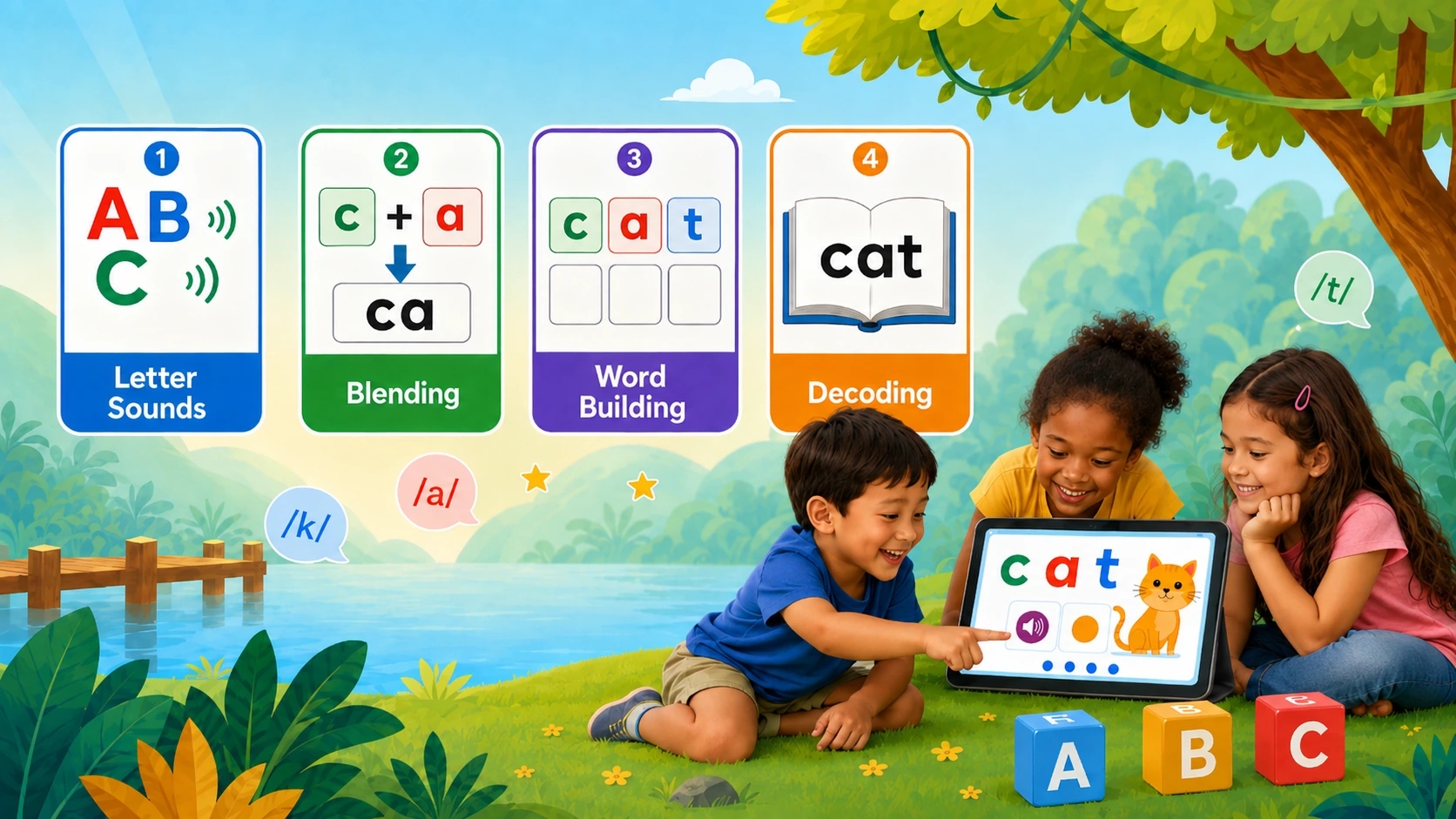
It teaches blending, not just letters. This is the make-or-break feature. Letter recognition is the easy part; pushing individual sounds together into a word is where children stall. An app that never explicitly practices blending is not a phonics app.
Can you point it at what your child actually needs? If your child is stuck on blending, you want to spend the next month on blending, not wait for it to come around in the running order. Look for whether you can set the app up around your child’s stage and the thing you’re worried about, whether you can skip ahead or go back, and whether you can feed it specific words, like this week’s spelling list.
Treat the word “personalized” carefully here. It usually means the app is set up around answers you gave when you started, which is useful, and not that it is watching your child and re-sequencing itself. Assume you are the one who has to notice the sticking point.
No ads, no upsells, no dark patterns. Ads in a children’s app aren’t just annoying. They break concentration during the exact minutes you’re paying for.
Progress you can actually see. You should be able to tell what your child has learned and where they’re stuck, in plain language.
Common mistakes parents make when choosing a phonics app
- Buying breadth when you need depth. If your child is stuck on sounding out words, a hundred activities across six subjects won’t help as much as forty focused ones on the skill that’s stuck.
- Assuming engagement equals learning. A child can love an app and learn very little. Watch what they actually do for ten minutes. How much of it is animation versus practice?
- Starting too advanced. Many children who “can’t read” are missing phonemic awareness, which comes before phonics. If your child can’t hear that “cat” starts with /k/, start there.
- Expecting an app to do all the work. Every app on this list works better alongside reading with your child. None of them replace it.
The best phonics apps for kids, compared
| App | Best for | Ages | Method | Price | Trial |
|---|---|---|---|---|---|
| Wonster Wordsour app | A child who can't sound out words yet, playing solo | 2-8 | Systematic phonics, spelling, sight words | $10.99/mo · $69.99/yr | 7 days |
| Reading.com | Parents who want to teach the lessons themselves | 3-7 | Scripted parent-led phonics, 99 lessons | $12.49/mo · $74.99/yr | None seen |
| ABCmouse | One subscription covering many subjects | 2-8 | Broad curriculum; phonics is one strand | $14.99/mo · $45/yr · $29.99/6mo | 30 days (web) |
| Khan Academy Kids | Free, well-made general early learning | 2-8 | Broad curriculum with phonics activities | Free | None |
| Starfall | Affordable supplement; phonics songs and games | 3-8 | Phonics activities, less systematic | $35/yr direct (no auto-renew) · $5.99/mo via app stores | None |
Wonster Words: Best for children stuck on sounding out words
Verdict: The deepest independent phonics practice on this list, and the one I’d pick for a child who is stuck on a specific skill.
Best for: Children aged 2-8 who need focused phonics and spelling practice they can do on their own, especially a child who knows their letter sounds but can’t yet blend them into words.
What it does well:
- Children build words one sound at a time. Tap or drag a letter and you hear that sound on its own; drop it into the word and the word is sounded out with the sounds pushed together. That is exactly the move children get stuck on, and it’s the thing the child is doing rather than something the app performs for them.
- The audio is a human voice with the trailing “uh” trained out. This is the flaw described in the criteria above: an app that says “buh” for /b/ teaches something a child later has to unlearn. The isolated sounds here were recorded specifically to avoid it, and children are asked to say the word aloud.
- Sequenced by default, unlockable if you want. Content sits on learning paths in an order an educator set, so a child works through a deliberate sequence rather than hopping between games. A parent can switch the paths off and open everything up, which helps if you’re targeting one specific gap.
- You can import your own word list and get games built from it. If your child brings home a spelling list on Monday, it becomes practice rather than another thing to nag about.
- Covers phonemic awareness, phonics, sight words, spelling and vocabulary, plus speech and language practice, developed with an educator using the Orton-Gillingham approach
- Downloads for offline use, no ads, no in-app purchases, and children can play it without an adult sitting beside them
Where it falls short:
- Narrow by design. No math, no science, no other subjects. If you want one subscription covering everything, this isn’t it.
- Doesn’t extend upward. Coverage stops at early literacy; there’s nothing here for upper elementary. Children who are reading fluently have outgrown it.
- Tablets and phones only. There’s no web version, so if your child works on a laptop or a Chromebook this isn’t an option.
- Not the lowest annual price. At $69.99/year it costs more than ABCmouse’s $45 web rate for a full curriculum. You’re paying for depth in one area, not breadth across many.
Price: $10.99/month or $69.99/year, with a 7-day free trial.
Skip it if: you want a broad multi-subject platform, your child is already reading fluently, or annual price is your deciding factor.
Reading.com: Best for parents who want to teach the lessons
Verdict: The strongest program here if you want to be the teacher, and the wrong choice if you don’t.
Best for: Parents and homeschoolers who can commit roughly 20 minutes a day to sitting with their child and following a scripted lesson.
What it does well:
- 99 sequential, fully scripted lessons that tell you exactly what to say, which removes the “am I teaching this right?” problem
- Genuinely systematic phonics sequence built on direct instruction
- Includes decodable digital books, so children practice reading text that matches what they’ve been taught
- Covers up to 3 children on one family account
- Printable worksheets to reinforce lessons
Where it falls short:
- Requires an adult for every lesson. This is a curriculum, not something a child uses alone. If your evenings are unpredictable, progress stalls.
- Tablets and phones only. Reading.com isn’t available on desktops, Chromebooks or in a web browser, so if your child works on a laptop this isn’t an option.
- No free trial that we could find, which makes it the only app here you cannot try before paying. Reading.com’s own help pages still describe a 7-day trial, and their checkout varies by offer, so you may be shown one. Worth checking rather than assuming either way.
- Checkout uses countdown timers and discount codes, so the price a parent pays varies depending on which offer they land on. Don’t take the first number you see as the standard rate.
Price: $12.49/month or $74.99/year. Discounts are commonly available, so what you pay depends on the offer you land on.
Skip it if: you need something your child can use independently, or you can’t reliably commit daily one-on-one time.
ABCmouse: Best for covering many subjects in one subscription
Verdict: The best value on this list if you want breadth, and the weakest choice if your child has a specific phonics problem.
Best for: Families wanting one subscription covering reading, math, science and art for children aged 2-8.
What it does well:
- Enormous library across multiple subjects, genuinely a lot for $45 a year
- Long-established with a structured learning path
- Strong appeal for general enrichment and school readiness
- Works well across a wide age span, so it lasts longer than single-skill apps
- A free Basic tier gives up to 10 activities a day, so you can look before you pay
- The longest free trial here: 30 days on the monthly plan, for web signups
Where it falls short:
- Phonics is one strand among many, not the focus. A child stuck on blending can wander for hours without hitting the practice they need.
- The games-to-instruction ratio runs high. A great deal of the library is activity and entertainment with light educational content underneath. Children enjoy it, but time spent is not the same as practice on a skill. Watch what your child actually does for ten minutes before assuming the subscription is teaching reading.
- Breadth means less depth in any single skill.
- The annual renewal rate isn’t guaranteed. ABCmouse states that annual subscriptions bought at the $45 special-offer price renew at that rate “in most cases”, but that in some cases the first year is billed at $45 and renews at $59.99 thereafter. Worth checking what your own renewal says.
- $14.99/month is the most expensive monthly rate here.
Price: $14.99/month (30-day free trial on web signups), $45/year, or $29.99 every 6 months. See the renewal note above.
Skip it if: your child is stuck on a specific reading skill you’re trying to solve, or you want systematic phonics rather than general enrichment.
Khan Academy Kids: Best free app for young children
Verdict: The best free app for young children, and a reasonable starting point before you pay for anything.
Best for: Families who want quality early learning at no cost, particularly for children aged 2-5 who are still exploring letters.
What it does well:
- Completely free, with no ads, no subscriptions and no in-app purchases. There is no premium tier, so nothing is being held back from you.
- It’s run by a nonprofit, funded by donations rather than by converting you, which is why the point above is credible rather than a trial in disguise
- Well-designed, warm, and genuinely enjoyable for young children
- Over 4,000 activities covering reading and phonics alongside math, social-emotional learning and creative work
- A library of more than 400 books built in
Where it falls short:
- Phonics coverage is part of a broad early-learning program rather than a systematic sequence for sounding out words. Helpful for exposure, less so for a child stuck on one specific skill.
- Less targeted practice on blending and word building than a dedicated phonics program
- Progress detail for parents is limited compared with paid programs
Price: Free.
Skip it if: your child needs intensive, targeted work on a specific phonics skill, though there’s no reason not to try it first, since it costs nothing.
Starfall: Best affordable supplement for practice
Verdict: The most affordable paid option, with a long track record and an interface that shows its age.
Best for: Families wanting low-cost phonics songs, games and activities to supplement other instruction.
What it does well:
- Lowest-priced paid plan here at $35/year, and buying direct is roughly half what the same thing costs monthly through an app store
- The direct annual membership doesn’t auto-renew. You buy a year and it ends unless you choose to buy another, which is rare and genuinely parent-friendly.
- Substantial free tier, and many families never need to pay
- Around 700 activities spanning Pre-K to 3rd grade, so it lasts a while
- Long-established and widely used in classrooms
- Memorable phonics songs that genuinely help letter-sound recall
Where it falls short:
- Less systematic than dedicated phonics programs; more a collection of activities than a sequence
- Interface and animation style feel dated next to newer apps, which matters more than it should with young children
Price: $35/year bought direct from Starfall, which does not auto-renew, or $5.99/month through an app store. There is also a substantial free tier.
Skip it if: you want a structured sequence to work through, or your child finds the presentation unengaging.
How we picked and evaluated these apps
Each app was assessed against the six criteria above (sequence, sound instruction, blending practice, how far you can aim it at a specific need, absence of ads, and progress visibility), plus price, age range, and the kind of family it genuinely suits. Pricing reflects publicly listed rates as of August 2026 and changes often.
We make Wonster Words, so it’s held to the same criteria as everything else here, including its real limitations. All of these except Reading.com have a free tier or a free trial, so you can try two or three before committing anything.
On “follows the science of reading”: this means the app teaches systematic, explicit phonics, the approach supported by the National Reading Panel and the research that followed it. It describes a teaching method, not a certification any of these apps hold.
About Wonster Words’ method: the phonics activities were developed with an educator using the Orton-Gillingham approach, a structured literacy method built on systematic, explicit and multisensory instruction, with input from speech-language pathologists. This describes how the material was built. It is not a certification, and Orton-Gillingham practitioner certification is a separate thing that applies to people rather than software.
Wonster Words’ recognition: 4.6 stars from approximately 31,000 App Store ratings and 4.4 stars from approximately 3,980 Google Play ratings, plus Parents’ Choice (Recommended), Mom’s Choice Awards, Academics’ Choice Smart Media Award, Dr. Toy’s Best Picks, Children’s Technology Review Editor’s Choice for Excellence in Design, NAPPA Silver, and iKids finalist.
Are free phonics apps good enough?
Often, yes, and it’s worth being straightforward about this rather than pretending otherwise.
Khan Academy Kids is genuinely good and completely free. Not free-for-now, and not a trial: no subscriptions, no in-app purchases, no premium tier being held back. It’s run by a nonprofit and funded by donations, which is why that holds up. It’s well-made, ad-free, and for a three- or four-year-old still exploring letters and sounds, it may be all you need for a year or more.
Starfall’s free tier covers a lot of ground too, and ABCmouse has a free Basic tier giving up to 10 activities a day. If you’re at the beginning of this and unsure whether your child is ready, start free. You’ll lose nothing but time.
Where free options typically stop:
- Sequence depth. Free apps tend to offer activities rather than a progression that builds systematically toward sounding out words.
- Targeted practice. If your child is specifically stuck on blending, free apps rarely give enough repetition on that one skill to move them past it.
- Progress visibility. Free apps generally tell you less about what your child has actually mastered.
One thing paying does often buy is control: the ability to set the app up around your child’s stage, skip to the skill you care about, or point it at specific words. Free tiers tend to give you what they give you.
The honest verdict: start free when your child is exploring letters and sounds with no particular difficulty. Paying becomes worthwhile when there’s a specific gap: a child who knows every letter sound but can’t push them together into a word, or who has been stuck at the same place for months. That’s the point at which systematic, repeated, targeted practice earns its price, and it’s the situation a dedicated phonics app is built for.
One more thing worth knowing: “free” versions of paid apps are a different thing from genuinely free apps. They usually cap you at a few lessons and are designed to convert you. Judge those on what the paid version offers, not the free slice.
Best phonics apps by age
Age 3. Focus on letter sounds and phonemic awareness, meaning hearing and playing with sounds, rather than reading words. Khan Academy Kids or Wonster Words’ earliest levels suit this stage. Don’t rush into sounding out words.
Age 4. Letter sounds should be consolidating and early blending can begin. Wonster Words or Reading.com both work here; the choice depends on whether you want your child working independently or alongside you.
Kindergarten (5). This is the year sounding out words usually clicks, and where a systematic sequence matters most. Wonster Words for independent practice, Reading.com if you’re teaching directly.
First grade (6) and beyond. Children should be sounding out words reliably and moving toward reading smoothly. If your child is still stuck on blending at this stage, targeted phonics practice is more useful than a broad platform.
Phonics apps for kids who need extra support
Reluctant readers. The barrier is usually emotional rather than cognitive. A child who has failed repeatedly stops wanting to try. Look for short sessions, visible progress, and a playful presentation that doesn’t feel like the thing they’ve been failing at. Keep sessions short enough that they end while things are still going well.
Children with dyslexia or suspected reading differences. Systematic, explicit, multisensory phonics instruction is the approach with the strongest research support, and all of these apps deliver phonics to some degree. But an app is a supplement, not an intervention. If you suspect dyslexia, pursue an evaluation. An app is not a substitute for a specialist assessment or a structured literacy program delivered by someone trained in it.
Children with speech delays. Speech and early reading draw on overlapping sound skills, and clear audio modeling matters more than usual. Work alongside a speech-language pathologist if your child is seeing one.
Do phonics apps actually work?
The evidence supports systematic phonics instruction, and that part isn’t in serious dispute. What’s less settled is how much of that benefit survives delivery through an app rather than a person.
What’s reasonable to say: a well-designed phonics app can deliver genuine practice, and practice is a large part of how sounding out words becomes automatic. Children who get consistent, targeted repetition on the skills they’re stuck on do improve. An app that provides that repetition in a form your child will actually engage with is doing real work.
What’s not reasonable to claim: that an app teaches a child to read on its own. None of these apps replace reading with your child, talking about words, or the back-and-forth of a person noticing exactly where your child got stuck. The most useful framing is that an app handles the repetitive practice, the part that’s hard to sustain at home, while you handle the reading together.
A practical benchmark: 10 to 15 minutes a day of focused practice, most days, does more than an hour once a week. If your child is using an app for 45 minutes and mostly watching animations, that’s not practice, whatever the app costs.
Prices and features verified August 2026. Subscription pricing changes frequently, so confirm current rates before subscribing.
Frequently asked questions
How much should my child use a phonics app each day?
Ten to fifteen minutes of focused practice on most days is more effective than long, occasional sessions. Stop while it's still going well.
Are free phonics apps good enough?
For a child exploring letters and sounds without difficulty, often yes. Khan Academy Kids is genuinely good and free. Paying becomes worthwhile when there's a specific skill your child is stuck on and needs repeated, targeted practice to move past.
Can a phonics app replace reading books with my child?
No. Apps deliver practice; reading together builds vocabulary, comprehension and the motivation to keep going. The two do different jobs.
What age should we start phonics?
Most children are ready for letter sounds around ages 3-4 and for blending around 4-5, but the range of normal is wide. If your child can't yet hear that "cat" starts with /k/, start with phonemic awareness activities rather than formal phonics.
How do I know if the app is working?
Look for transfer. Can your child sound out a word they've never seen, outside the app? Progress inside an app that doesn't show up in real reading means the practice isn't transferring.
Do phonics apps work for bilingual children?
Yes, and learning to decode in one language generally supports the other, particularly for sound-based skills. Children learning English alongside another language may need more time on sounds that don't exist in their first language.
Last updated